IGNOU ID Card Download: The IGNOU ID card is one of the most important documents for every student enrolled at Indira Gandhi National Open University. From appearing in examinations to accessing study centres, practical sessions, libraries, and university services, the IGNOU identity card serves as official proof of enrollment. Without a valid ID card, students may face difficulties in academic and administrative activities.
With the increasing digitization of university services, IGNOU allows students to download their ID card online using their enrollment number. The IGNOU ID card download facility ensures that students can easily access their ID card anytime without depending on physical copies issued earlier.
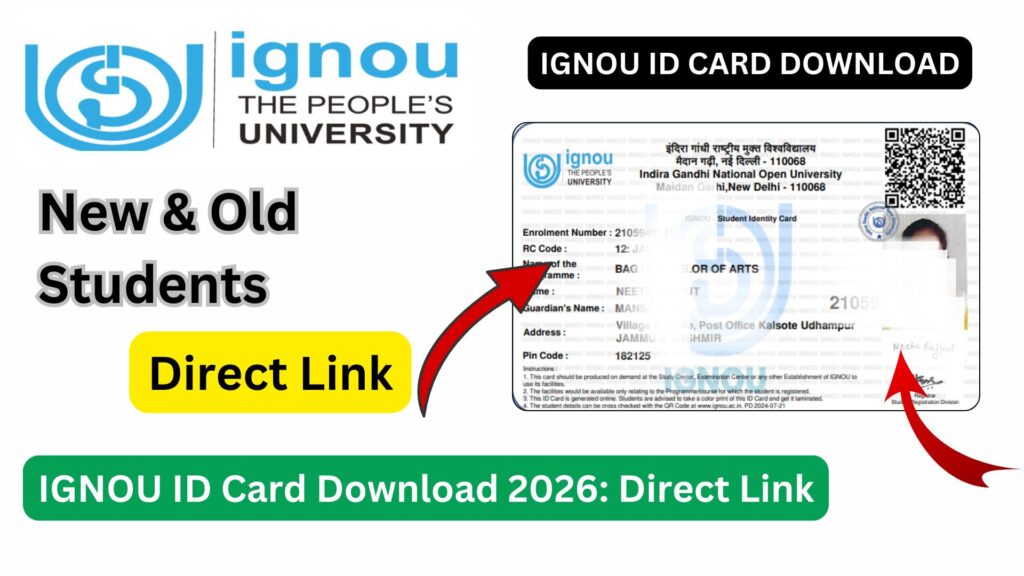
This detailed article explains everything about IGNOU ID Card Download, including its importance, eligibility, step-by-step process, common issues, important instructions, and frequently asked questions. Whether you are a newly admitted student or a continuing learner, this guide will help you understand and download your IGNOU ID card smoothly.
What Is an IGNOU ID Card?
The IGNOU ID card is an official identification document issued by Indira Gandhi National Open University to its students. It confirms that a student is officially registered in a particular program and session.
The ID card contains important details such as:
- Student’s name
- Enrollment number
- Program code
- Photograph
- University logo and authentication details
This document remains valid throughout the duration of the program and must be preserved carefully.
Importance of IGNOU ID Card
The IGNOU ID card is not just a formality; it is a mandatory document for multiple academic purposes.
Key Uses of IGNOU ID Card
- Entry to examination centers
- Verification during Term End Examinations
- Access to study centres and practical sessions
- Submission of assignments at study centres
- Library access and academic support services
- Identity verification for university-related communication
Students without an ID card may be denied entry to exam halls or academic facilities.
Who Can Download IGNOU ID Card?
The IGNOU ID card download facility is available to:
- Newly admitted students
- Students who lost their physical ID card
- Continuing students needing a digital copy
- Students who changed devices or lost saved files
Once admission is confirmed and enrollment number is generated, students can download their ID card online.
Official Link for IGNOU ID Card Download
Students can download their IGNOU ID card using the following link:
IGNOU ID Card Download Link:
https://ignoubank.com/ignou-id-card-download-with-enrollment-no-2/
This link provides step-by-step access to the ID card download process using the enrollment number.
Important Links and Information Table
Below is a table containing essential information and links related to IGNOU ID Card Download.
| Purpose | Details / Link |
|---|---|
| Document Name | IGNOU ID Card |
| Issuing Authority | Indira Gandhi National Open University |
| Required Detail | Enrollment Number |
| ID Card Download Link | https://ignoubank.com/ignou-id-card-download-with-enrollment-no-2/ |
| Format Available | Digital / PDF |
| Usage | Exams, Study Centre, Identity Proof |
| Validity | Entire Program Duration |
| Re-download Facility | Available Anytime |
Step-by-Step Process to Download IGNOU ID Card
Students can follow the steps below to download their IGNOU ID card easily.
Step 1: Open the ID Card Download Link
Visit the following link in your browser:
https://ignoubank.com/ignou-id-card-download-with-enrollment-no-2/
Ensure that you have a stable internet connection.
Step 2: Enter Enrollment Number
Enter your 9 or 10-digit IGNOU enrollment number carefully in the required field.
Step 3: Submit the Details
After entering the enrollment number, submit the details to proceed.
Step 4: View IGNOU ID Card
Your IGNOU ID card will appear on the screen in digital format.
Step 5: Download or Print
Download the ID card as a PDF file or take a printout for offline use.
Students are advised to keep both digital and printed copies.
When Should Students Download IGNOU ID Card?
Students should download their IGNOU ID card:
- Immediately after admission confirmation
- Before appearing for examinations
- Before visiting study centres or exam centres
- When the original ID card is lost or damaged
Having the ID card ready avoids last-minute problems.
Is a Printed IGNOU ID Card Required?
Yes, in many situations, a printed copy of the IGNOU ID card is required.
Situations Where Printed ID Card Is Mandatory
- Entry into examination centers
- Practical examinations
- Verification by invigilators
- Assignment submission at some study centres
Students should carry a printed ID card along with a valid photo identity proof during exams.
What to Do If IGNOU ID Card Is Not Displayed?
Sometimes, students may face issues while downloading their ID card.
Common Reasons
- Incorrect enrollment number
- Admission not yet confirmed
- Technical server issues
- Browser compatibility problems
Solutions
- Recheck enrollment number
- Clear browser cache
- Try a different browser or device
- Wait and try again later
If the issue persists, students should contact IGNOU support through their study or regional centre.
Difference Between IGNOU ID Card and Hall Ticket
Many students confuse the IGNOU ID card with the hall ticket, but both are different.
IGNOU ID Card
- Permanent document
- Issued once after admission
- Used for identification
IGNOU Hall Ticket
- Issued for each examination
- Contains exam schedule and center details
- Valid only for a specific exam session
Both documents are required during examinations.
Importance of IGNOU ID Card During Examinations
The IGNOU ID card is compulsory for appearing in Term End Examinations.
- Without ID card, entry may be denied
- ID card is verified by invigilators
- It confirms student identity and enrollment status
Students must carry the ID card along with their hall ticket.
Can IGNOU ID Card Be Re-downloaded Multiple Times?
Yes, the IGNOU ID card can be downloaded multiple times.
- No limit on re-download
- Useful if file is lost or corrupted
- Recommended to store backup copies
This flexibility ensures students always have access to their ID card.
Validity of IGNOU ID Card
The IGNOU ID card remains valid:
- Throughout the entire duration of the program
- Until completion of the course
- Even during reappearance or improvement exams
Students should not discard the ID card until the program is officially completed.
Common Mistakes to Avoid While Downloading IGNOU ID Card
- Entering incorrect enrollment number
- Waiting until exam dates to download
- Not saving a backup copy
- Carrying only a digital copy to exam centers
Avoiding these mistakes ensures smooth academic participation.
Advantages of Digital IGNOU ID Card
- Easy access anytime
- No dependency on physical delivery
- Can be reprinted anytime
- Safe backup option
Digital availability improves student convenience and reliability.
FAQ about IGNOU ID Card Download
What is IGNOU ID card?
The IGNOU ID card is an official identification document issued to registered students.
Where can I download IGNOU ID card?
You can download it from:
https://ignoubank.com/ignou-id-card-download-with-enrollment-no-2/
What details are required to download the ID card?
Only your IGNOU enrollment number is required.
Is IGNOU ID card mandatory for exams?
Yes, it is compulsory to carry the ID card during examinations.
Can I use a digital ID card at the exam center?
It is safer to carry a printed copy, as some centers may not accept digital copies.
What should I do if I lose my printed ID card?
You can re-download and print the ID card anytime using the online link.
Is IGNOU ID card valid for the entire course duration?
Yes, it remains valid until the program is completed.
Can new students download the ID card immediately?
Yes, once enrollment number is generated and admission is confirmed.
Does IGNOU send a physical ID card by post?
Currently, students rely mainly on digital ID card downloads.
Is the ID card required for assignment submission?
Yes, some study centres may ask for ID card verification.
Conclusion
The IGNOU ID Card Download facility is a vital service that ensures students have uninterrupted access to essential academic identification. Whether it is appearing for exams, visiting study centres, or completing administrative formalities, the IGNOU ID card plays a crucial role throughout a student’s academic journey.
With the convenience of online access, students can download their ID card anytime using their enrollment number. It is strongly advised to download the ID card soon after admission confirmation and keep multiple copies for safety. Ignoring this small but important step can lead to unnecessary stress during examinations or academic verification.
By staying proactive and organized, IGNOU students can ensure smooth participation in all academic activities. The ID card is more than just a document; it is your official identity as a learner at one of India’s most prestigious open universities.